
Smooth lane boundaries
Smooth Boundary decides the geometry of a lane’s boundaries, not just how they’re drawn. On fits a smooth curve through the control points you clicked; Off connects those control points with straight segments. The canvas, image/video exports, map exports (OpenDRIVE / Lanelet2), and scenario playback (the road esmini actually drives on) all render the same curve — there is no separate “simulation shape” behind the picture.
Where the toggle is
Section titled “Where the toggle is”Press N for the Lane tool. The right panel includes a SMOOTH BOUNDARY row with On and Off buttons:
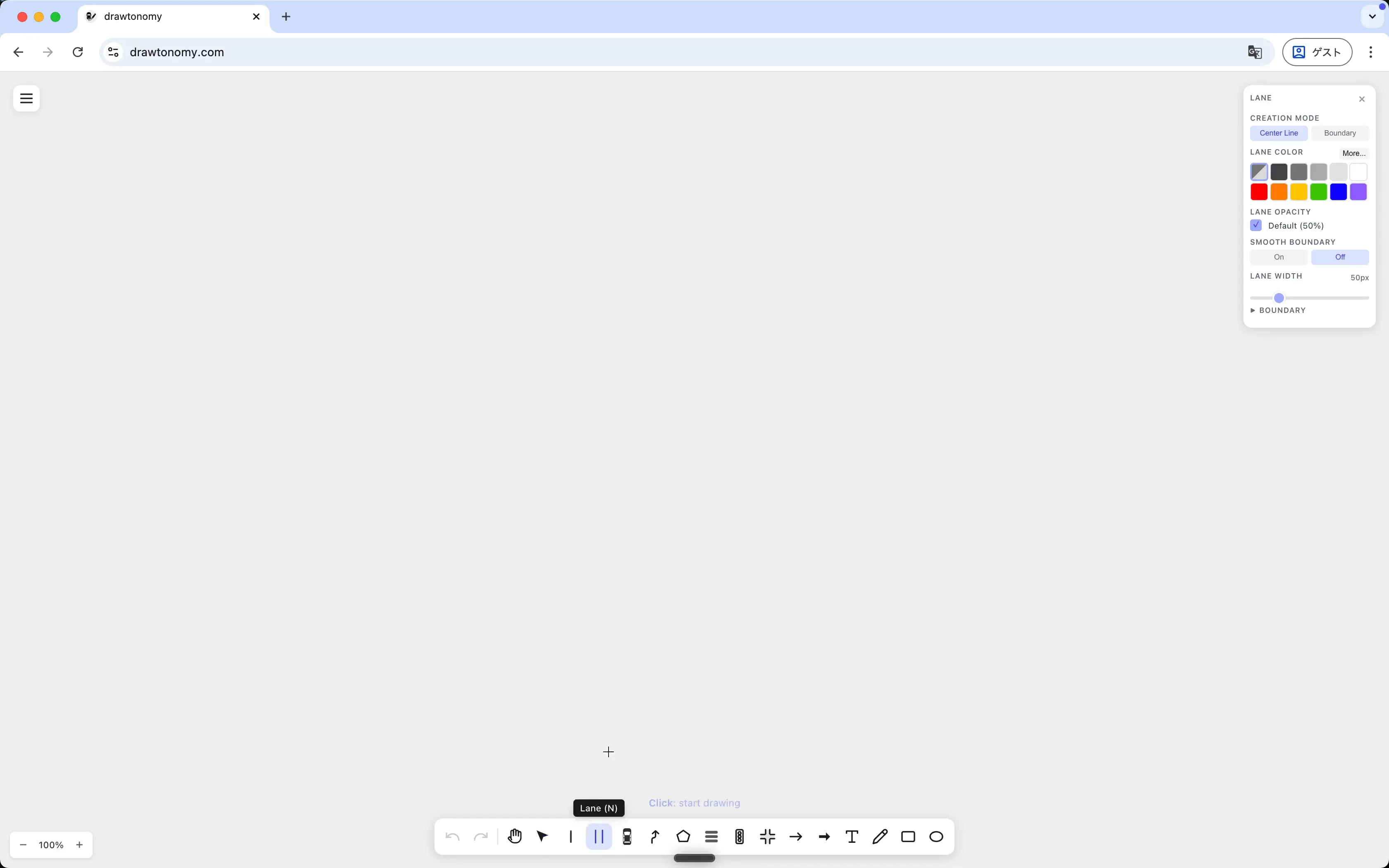
The current default is On. Switch it off before you start clicking the centerline, or change it later on an already-drawn lane (see below).
Compare
Section titled “Compare”The two screenshots below were drawn with the same centerline. The only thing that changed is the toggle:
| Smooth Boundary = Off | Smooth Boundary = On |
|---|---|
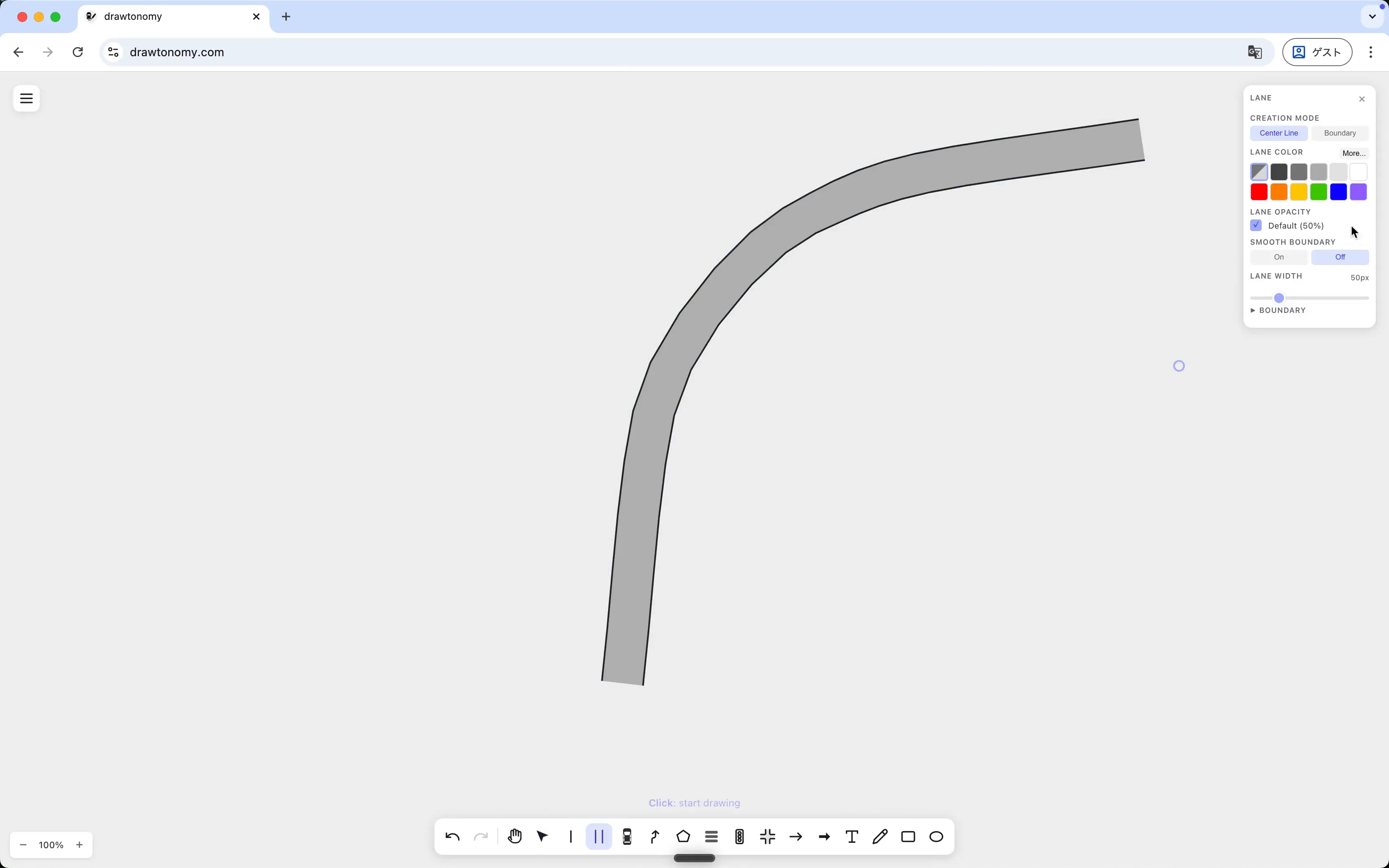 | 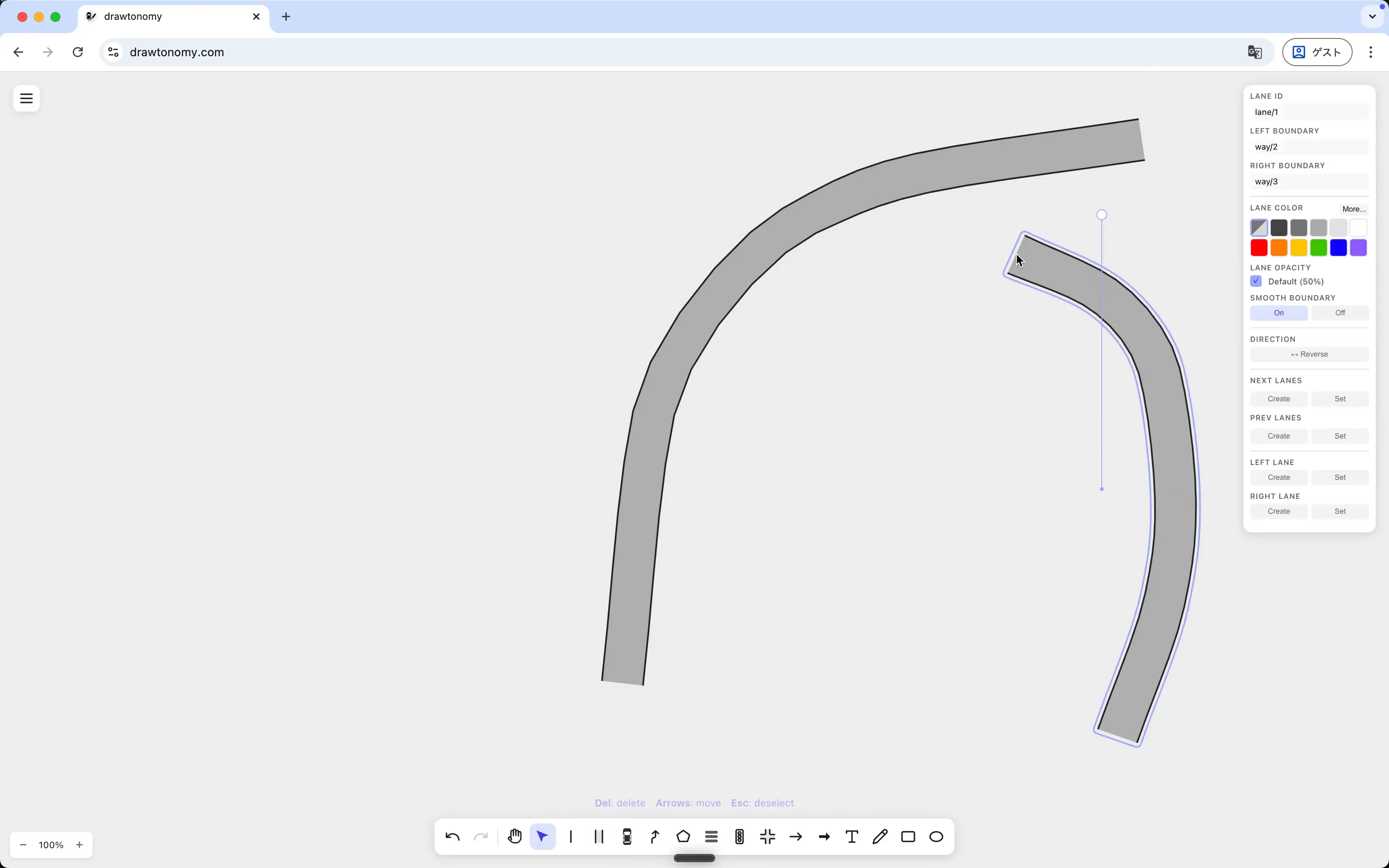 |
With the toggle off, each pair of centerline clicks becomes a straight boundary segment. With it on, the same centerline is fitted to a curve.
Which one to use
Section titled “Which one to use”- On for real-road curves — the boundary the vehicle actually follows during scenario playback should look like a road, not a polygon.
- Off for parking lots, intersection interiors, or schematic diagrams where you want sharp corners.
- Off for lanes you get from importing a map (OpenDRIVE, Lanelet2, OSM) — imported boundaries are already a dense point sequence, so smoothing only adds points without changing the shape.
Switching an existing lane
Section titled “Switching an existing lane”You can flip the toggle at any time, including on lanes you already drew: select the lane and use the same SMOOTH BOUNDARY row in its Lane panel. The control points never change, so switching on and off is reversible as many times as you want — nothing is lost either way. A lane sharing a boundary with its neighbor applies the same setting to both sides, so the two lanes stay a single, consistent shape.
New lanes drawn with the Lane tool pick up whatever the default panel is currently set to.
See also
Section titled “See also”- Use the Lane tool — the rest of the panel.
- Lane connection model — why the centerline still drives connectivity even when boundaries curve.
- Export to OpenDRIVE / OpenSCENARIO / esmini — how the same boundary geometry becomes map and scenario geometry.