
Math whiteboard for teaching and review
A math whiteboard usually serves three needs at once: it shows typed maths cleanly, it lets you annotate freehand on top, and it lets you re-arrange the steps as the explanation evolves. Most teaching tools focus on one or two of these very well, depending on what they’re designed for. drawtonomy is one option that combines all three on a single infinite canvas, in the browser, for free.
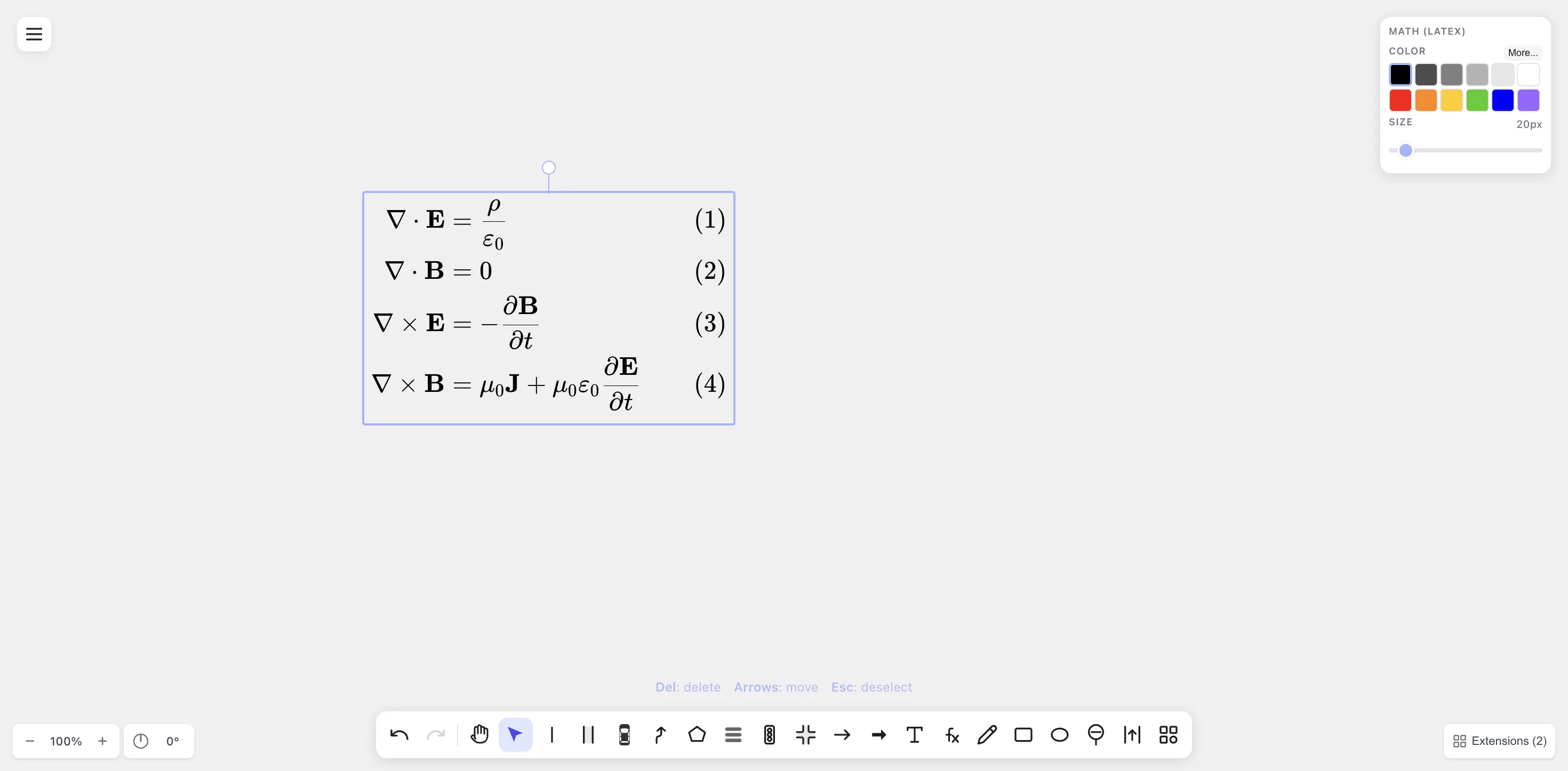
Typed maths sits on the same infinite canvas as freehand and shapes, so you can teach a derivation step-by-step and re-arrange as the explanation evolves.
How drawtonomy compares to common alternatives
Section titled “How drawtonomy compares to common alternatives”These are all great tools — each one is shaped for a particular teaching style. drawtonomy fits when you want typed LaTeX and freehand on the same surface, and a re-editable artefact at the end.
- Physical whiteboards or tablets are unbeatable for spontaneous live explanation. The shareable artefact is usually a photo or a separate writeup, which is fine for many lessons.
- Online whiteboards (Miro, Mural, Excalidraw, Notability) are excellent for shapes, sticky notes, and collaboration. Their built-in typesetting varies, so LaTeX is sometimes added as an image from another tool.
- LaTeX renderers (Overleaf, MathJax in a notebook) produce beautifully typed maths and are a natural fit when the lesson is mostly text. Freeform annotation (“circle this, arrow to that”) usually happens elsewhere.
- Real-time classroom tools (Bitpaper, Whereby Boards) are designed around live tutoring and shine there. Reusing the board afterwards depends on the tool’s export and persistence model.
drawtonomy combines LaTeX and freehand on the same canvas, and the exported SVG works as a lasting artefact.
A 5-minute explainer
Section titled “A 5-minute explainer”-
Type the equations. Press / (the Math tool), click on the canvas, type LaTeX. Place each step as a separate Math shape so you can rearrange them.
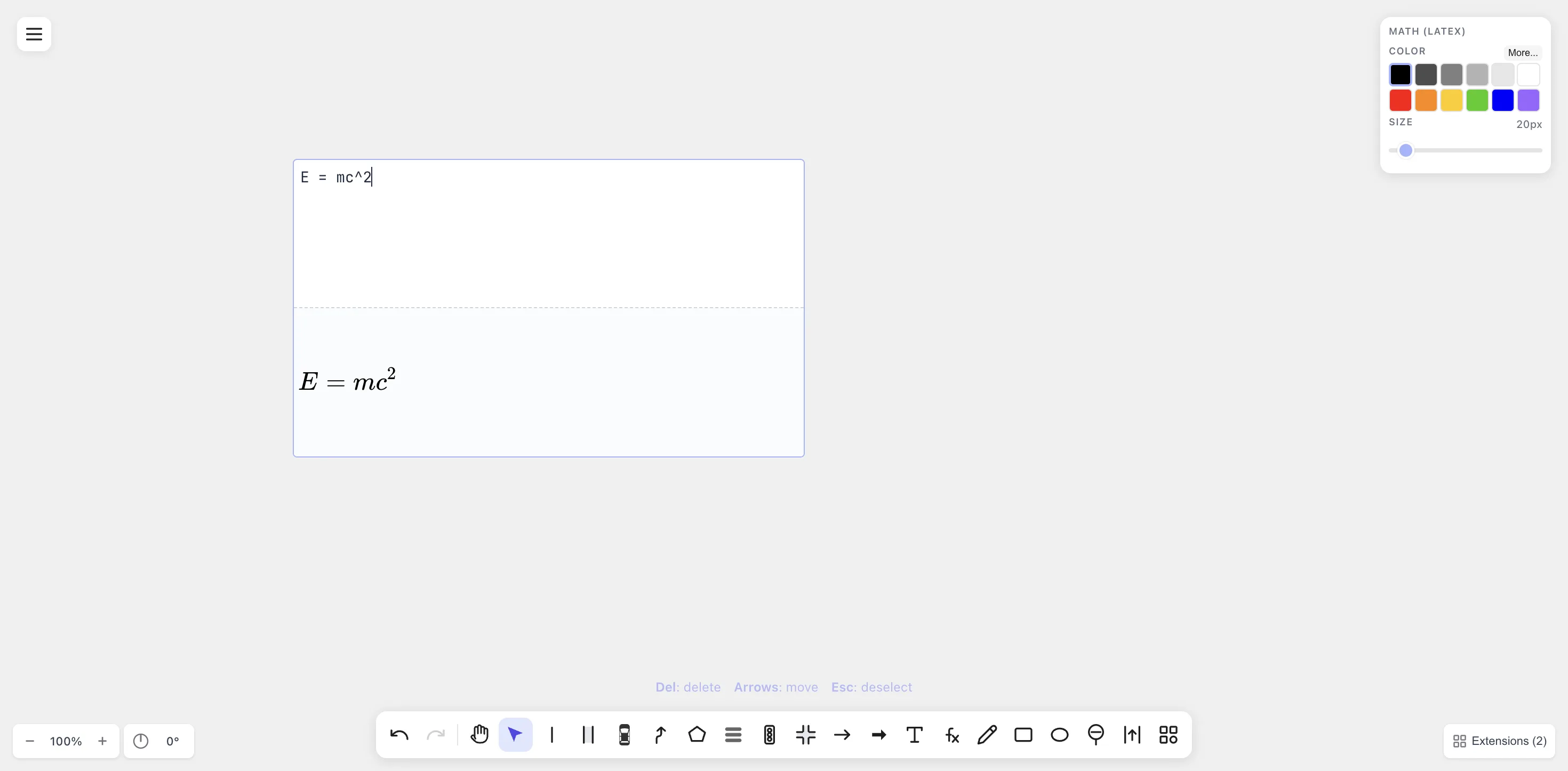
Each line of working is its own Math shape — easy to move, recolour, or re-edit.
-
Annotate freehand. Press D for Freehand. Circle the term you want to substitute, draw an arrow to the next step, scribble a hint.
-
Add diagrams when useful. Need a triangle for a geometry step or a number line for an inequality? Press G for Polygon, L for Linestring, I for intersection (turns into a clean axis cross), and so on. Yes, the autonomous-driving shapes work fine as generic geometry shapes.
-
Color for meaning. Substitutions in red. Given conditions in blue. Highlights in yellow. Same convention as a chalkboard lesson.
-
Export. Menu → Export → SVG (sharp at any zoom) or PNG (drops into anything). Share the link or the file.
Useful patterns
Section titled “Useful patterns”-
Step-by-step derivations. Stack one Math shape per line vertically. Use a freehand arrow between steps. If a student asks “wait, where did that come from?”, double-click the line to re-edit the LaTeX — no redrawing.
-
Worked-example handouts. Compose the whole worksheet on the canvas, export PDF, hand it out.
-
Tutoring session recap. Use the canvas live in a screen share. At the end, export
.drawtonomy.svgand send it to the student — they get the editable canvas to re-read at home. -
Concept-comparison sheets. Two Math shapes side-by-side (“integration by parts” vs. “u-substitution”) with arrows connecting analogous terms.
-
Chemistry classes.
\ce{2 H2 + O2 -> 2 H2O}renders as a proper reaction arrow via themhchemextension — useful for high-school and undergraduate chemistry boards.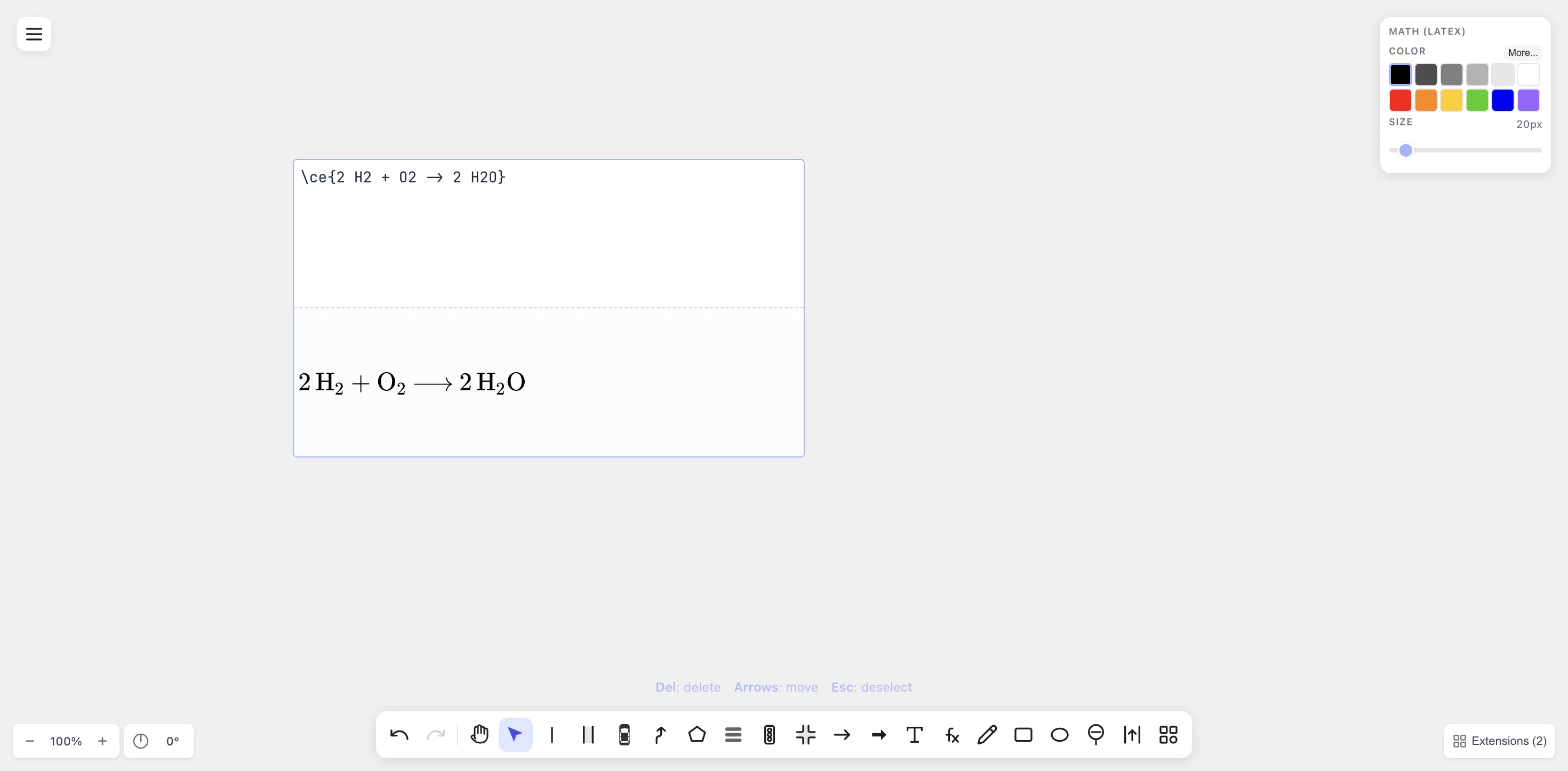
Chemistry reactions (
\ce{}) render alongside math equations on the same canvas.
Multiple students, one board
Section titled “Multiple students, one board”drawtonomy doesn’t currently have real-time multi-user editing —
it’s a single-user canvas with browser-local persistence. For a
live tutoring session, share your screen and treat it as a
chalkboard. For asynchronous review, export the .drawtonomy.svg
and let students reopen it in their own browser.