
पढ़ाने और रिवीजन के लिए गणित व्हाइटबोर्ड
गणित व्हाइटबोर्ड से आमतौर पर तीन काम एक साथ होते हैं: typed गणित साफ दिखे, ऊपर freehand से एनोटेशन हो, और जैसे-जैसे explanation बदले, steps को दोबारा arrange किया जा सके। ज्यादातर teaching tools इनमें से एक या दो काम बहुत अच्छे से करते हैं। drawtonomy एक ऐसा विकल्प है जो तीनों को एक single infinite canvas पर, browser में, बिल्कुल मुफ्त जोड़ता है।
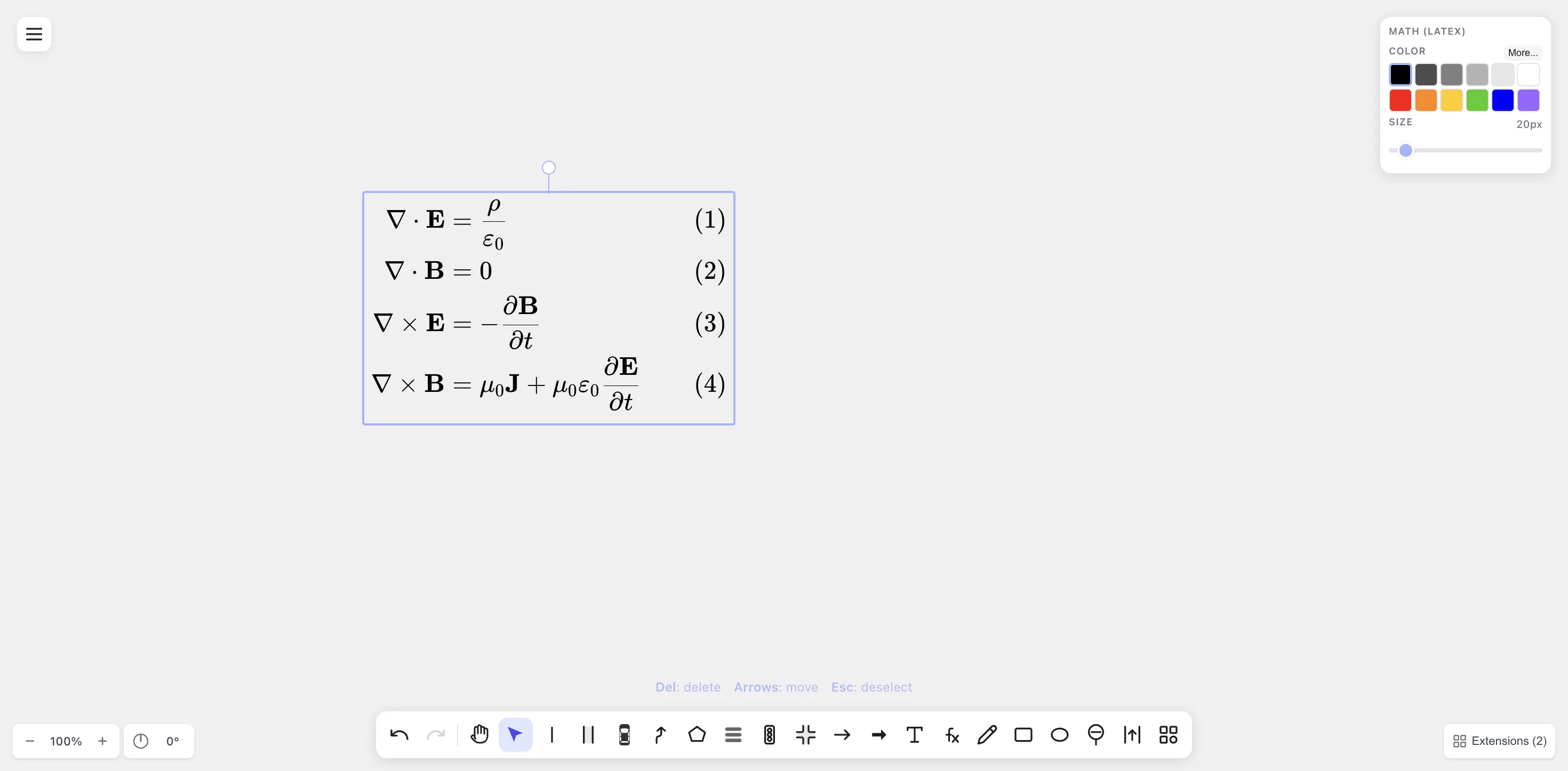
Typed गणित उसी infinite canvas पर रहता है जहाँ freehand और shapes हैं — इसलिए आप एक derivation को step-by-step पढ़ा सकते हैं और explanation के साथ-साथ arrange कर सकते हैं।
drawtonomy का दूसरे tools से तुलना
Section titled “drawtonomy का दूसरे tools से तुलना”ये सभी बेहतरीन tools हैं — हर एक किसी खास teaching style के लिए बना है। drawtonomy तब सही रहता है जब आप चाहते हैं कि typed LaTeX और freehand एक ही surface पर हों, और अंत में एक re-editable artifact भी मिले।
- Physical whiteboards या tablets spontaneous live explanation के लिए बेजोड़ हैं। Shareable artifact आमतौर पर एक photo या अलग writeup होता है, जो कई lessons के लिए ठीक है।
- Online whiteboards (Miro, Mural, Excalidraw, Notability) shapes, sticky notes और collaboration के लिए शानदार हैं। इनका built-in typesetting अलग-अलग होता है, इसलिए LaTeX कभी-कभी किसी दूसरे tool से image के रूप में import करना पड़ता है।
- LaTeX renderers (Overleaf, किसी notebook में MathJax) बहुत सुंदर typed गणित बनाते हैं और तब सबसे सही रहते हैं जब lesson ज्यादातर text-based हो। Freeform annotation (“इसे circle करो, उस तरफ arrow लगाओ”) आमतौर पर कहीं और होता है।
- Real-time classroom tools (Bitpaper, Whereby Boards) live tutoring के लिए बने हैं और वहाँ बेहद अच्छे काम करते हैं। Board को बाद में reuse करना tool के export और persistence model पर निर्भर करता है।
drawtonomy LaTeX और freehand को एक ही canvas पर जोड़ता है, और exported SVG एक lasting artifact के रूप में काम करती है।
5 मिनट का explainer
Section titled “5 मिनट का explainer”-
समीकरण टाइप करें। / (Math tool) दबाएं, canvas पर click करें, LaTeX टाइप करें। हर step को एक अलग Math shape रखें ताकि आप उन्हें दोबारा arrange कर सकें।
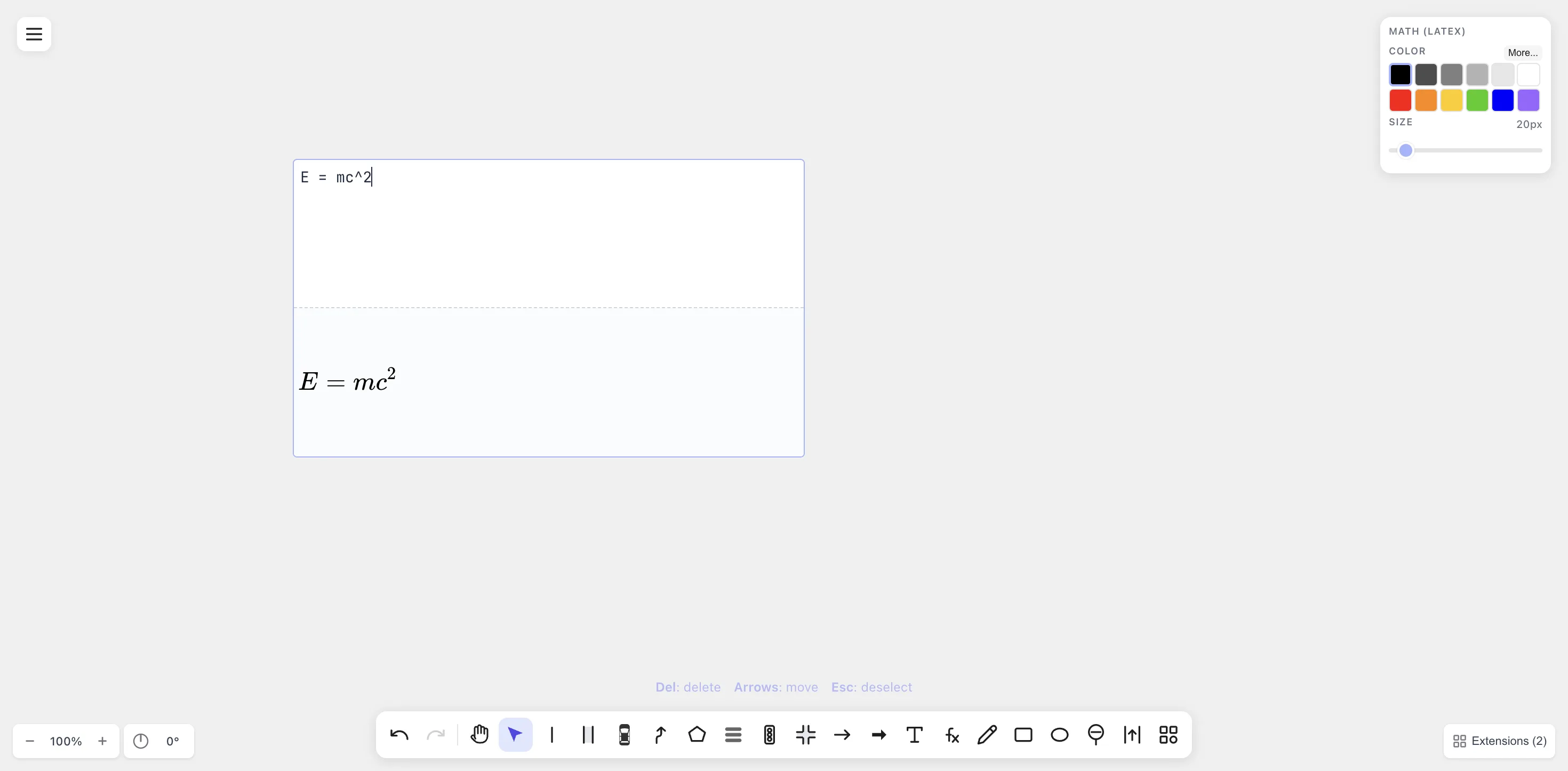
Working की हर line अपना खुद का Math shape है — move करना, recolor करना या re-edit करना आसान है।
-
Freehand से एनोटेट करें। Freehand के लिए D दबाएं। जो term substitute करनी हो उसे circle करें, अगले step पर arrow खींचें, hint लिखें।
-
जरूरत हो तो diagrams जोड़ें। Geometry step के लिए triangle चाहिए या inequality के लिए number line? Polygon के लिए G, Linestring के लिए L, intersection के लिए I (एक clean axis cross बनता है), और इसी तरह। हाँ, autonomous-driving shapes generic geometry shapes की तरह भी काम करते हैं।
-
Meaning के लिए रंग। Substitutions लाल में। Given conditions नीले में। Highlights पीले में। Chalkboard lesson जैसा ही convention।
-
Export करें। Menu → Export → SVG (किसी भी zoom पर sharp) या PNG (हर जगह काम करता है)। Link या file share करें।
उपयोगी patterns
Section titled “उपयोगी patterns”-
Step-by-step derivations। एक Math shape को हर line के लिए vertically stack करें। Steps के बीच freehand arrow लगाएं। अगर कोई student पूछे “यह कहाँ से आया?”, तो line को double-click करके LaTeX re-edit करें — कुछ भी दोबारा खींचने की जरूरत नहीं।
-
Worked-example handouts। पूरा worksheet canvas पर compose करें, PDF export करें, बाँट दें।
-
Tutoring session recap। Screen share में canvas live use करें। अंत में
.drawtonomy.svgexport करके student को भेजें — उन्हें घर पर re-read करने के लिए editable canvas मिल जाता है। -
Concept-comparison sheets। दो Math shapes side-by-side (“integration by parts” बनाम “u-substitution”) और analogous terms को connect करते arrows।
-
Chemistry classes।
\ce{2 H2 + O2 -> 2 H2O}mhchemextension से एक proper reaction arrow render करता है — हाई स्कूल और undergraduate chemistry boards के लिए उपयोगी।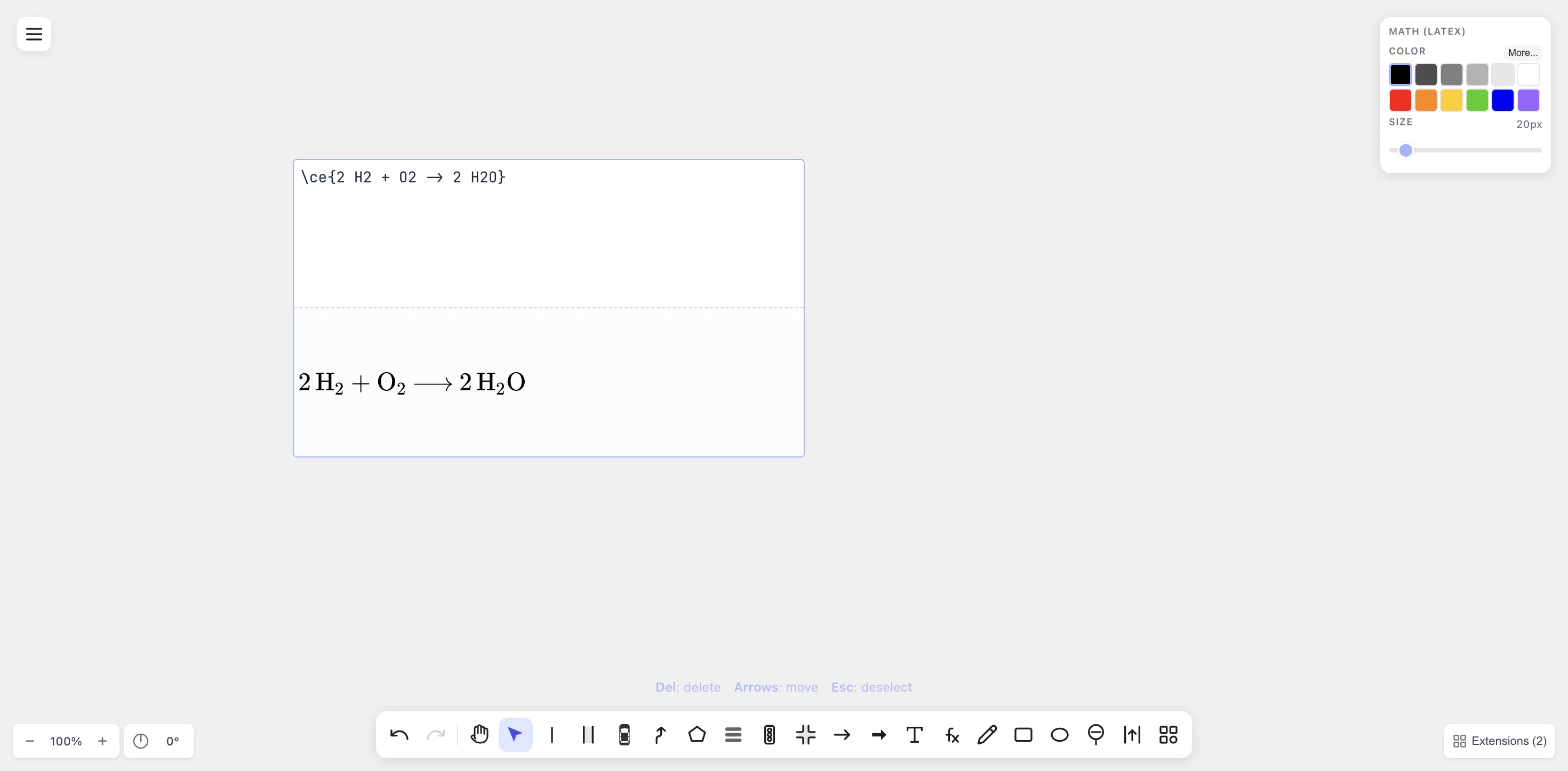
Chemistry reactions (
\ce{}) उसी canvas पर math equations के साथ render होती हैं।
एक से ज्यादा students, एक board
Section titled “एक से ज्यादा students, एक board”drawtonomy में अभी real-time multi-user editing नहीं है — यह एक single-user canvas है जिसमें browser-local persistence है। Live tutoring session के लिए, अपना screen share करें और इसे chalkboard की तरह treat करें। Asynchronous review के लिए, .drawtonomy.svg export करें और students को अपने browser में reopen करने दें।