Place intersections, roundabouts and chicanes — parametric templates
이 콘텐츠는 아직 번역되지 않았습니다.
The Road Templates tool stamps a whole junction or road section — lanes, boundaries, crosswalks and the junction surface — with a single click. Three styles are available, and each one is parametric: you pick the shape you need instead of choosing from a list of fixed templates.
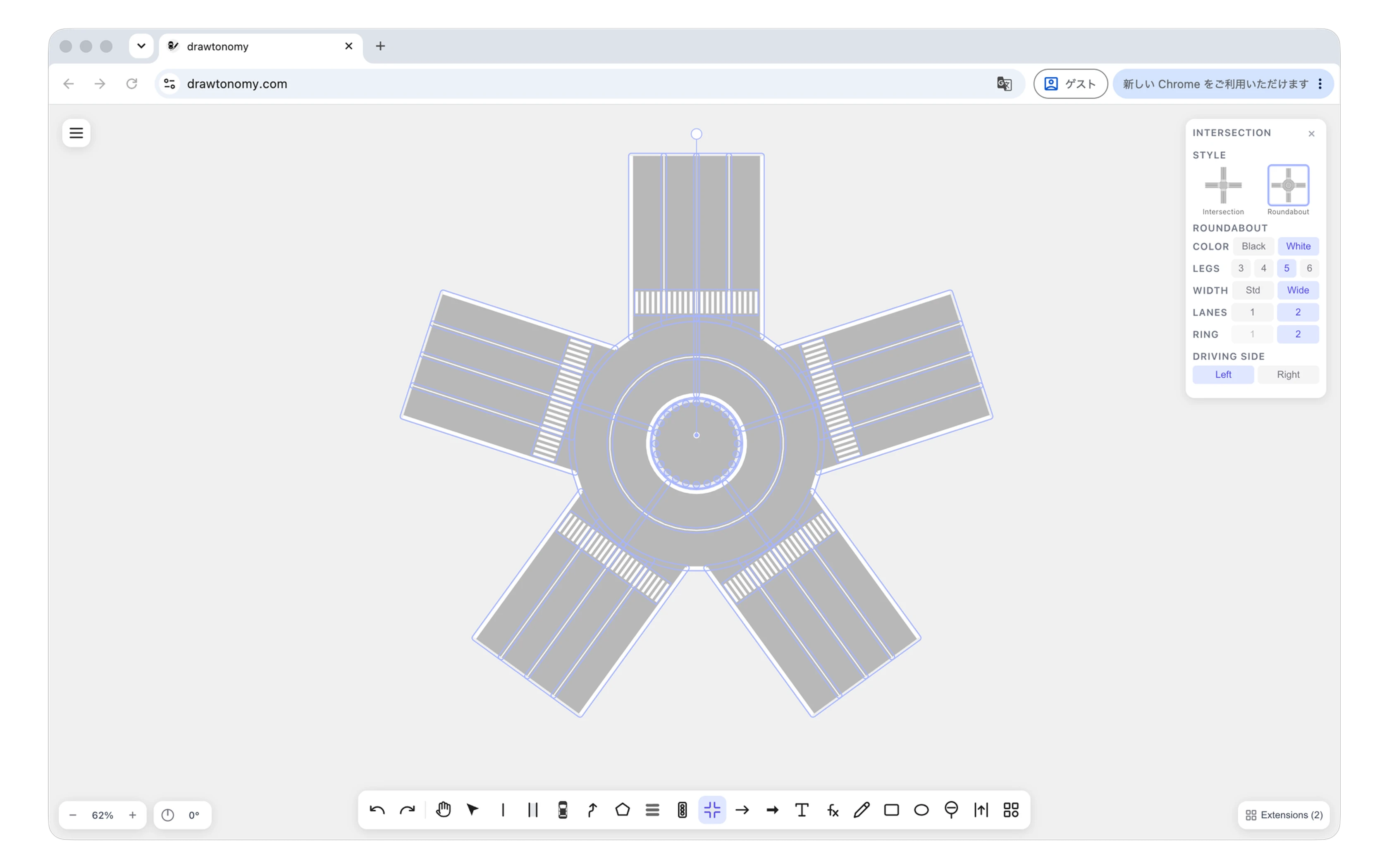
Open the tool from the toolbar, choose Intersection, Roundabout or Chicane at the top of the panel, set the parameters, then click on the canvas. The tool stays on the values you picked, so you can stamp several junctions of the same kind in a row.
Intersection style
Section titled “Intersection style”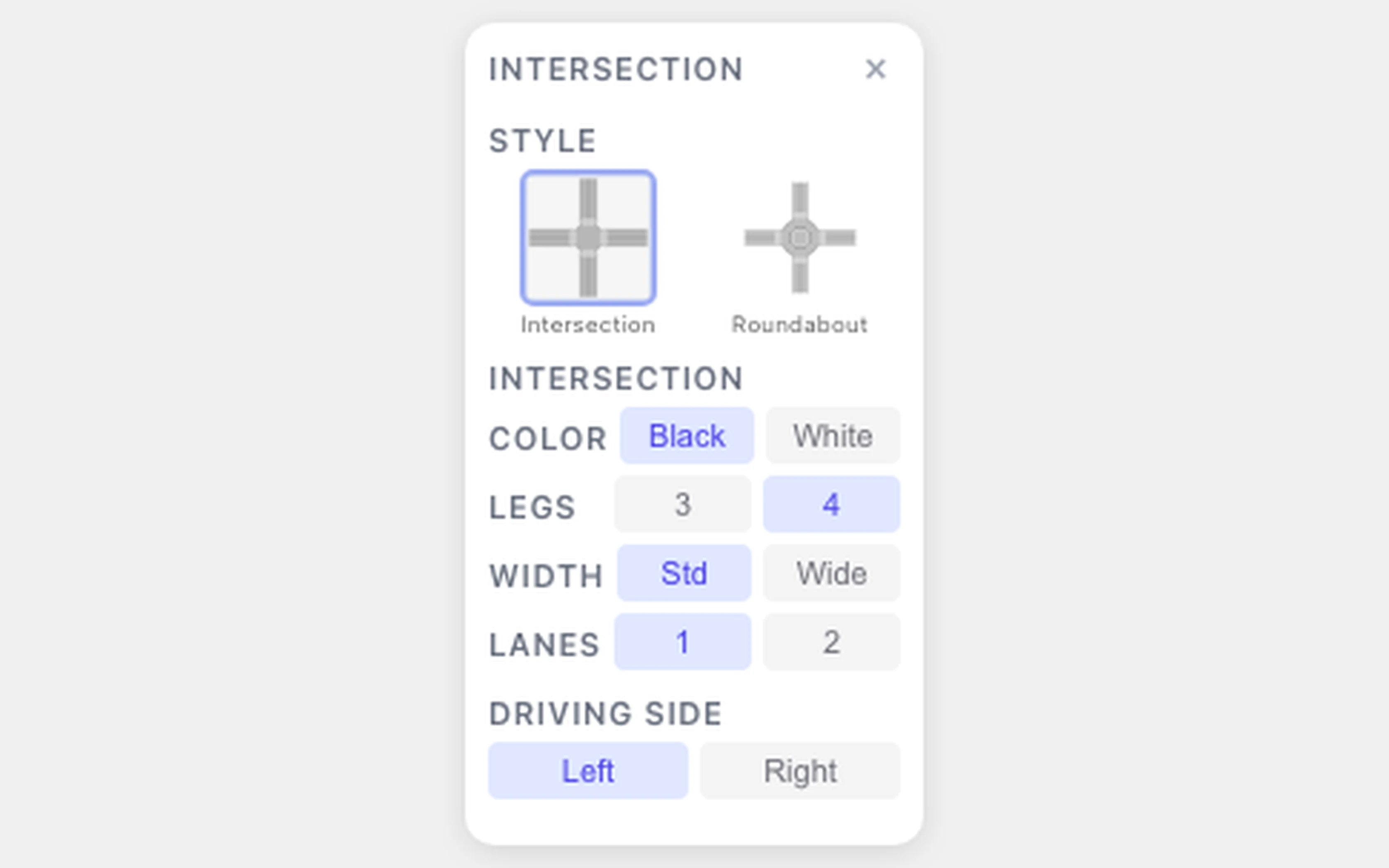
| Parameter | Values | What it changes |
|---|---|---|
| Color | Black / White | Line color. Black draws every line thin and dark; White draws outer edges thick and white, with thin white lane markings. |
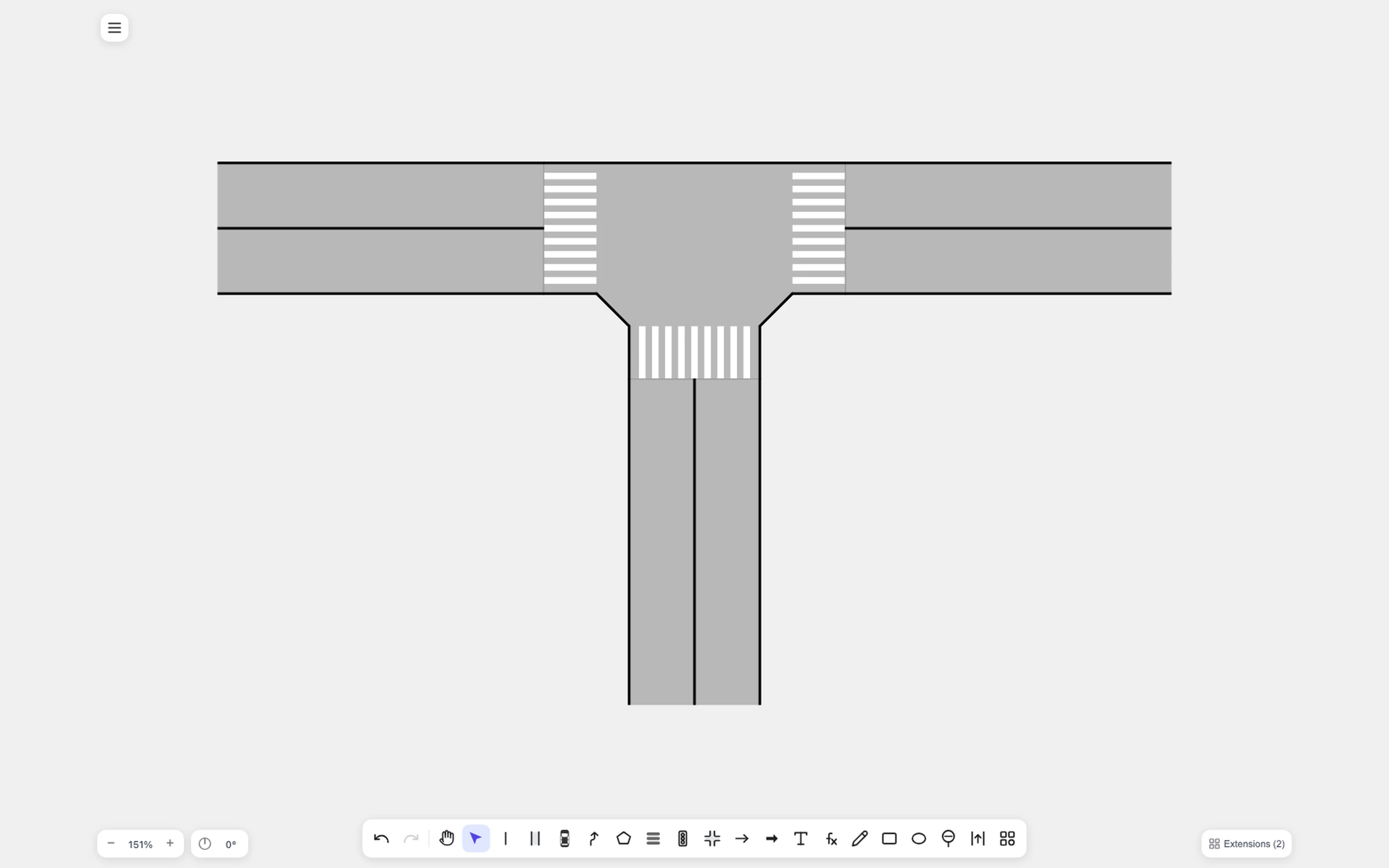
| Legs | 3 / 4 | 3 gives a T-junction, 4 a crossroads. |
| Width | 2.5 m – 4.0 m | Lane width, set with a slider in 0.1 m steps. The value is the lane width in the OpenDRIVE export. |
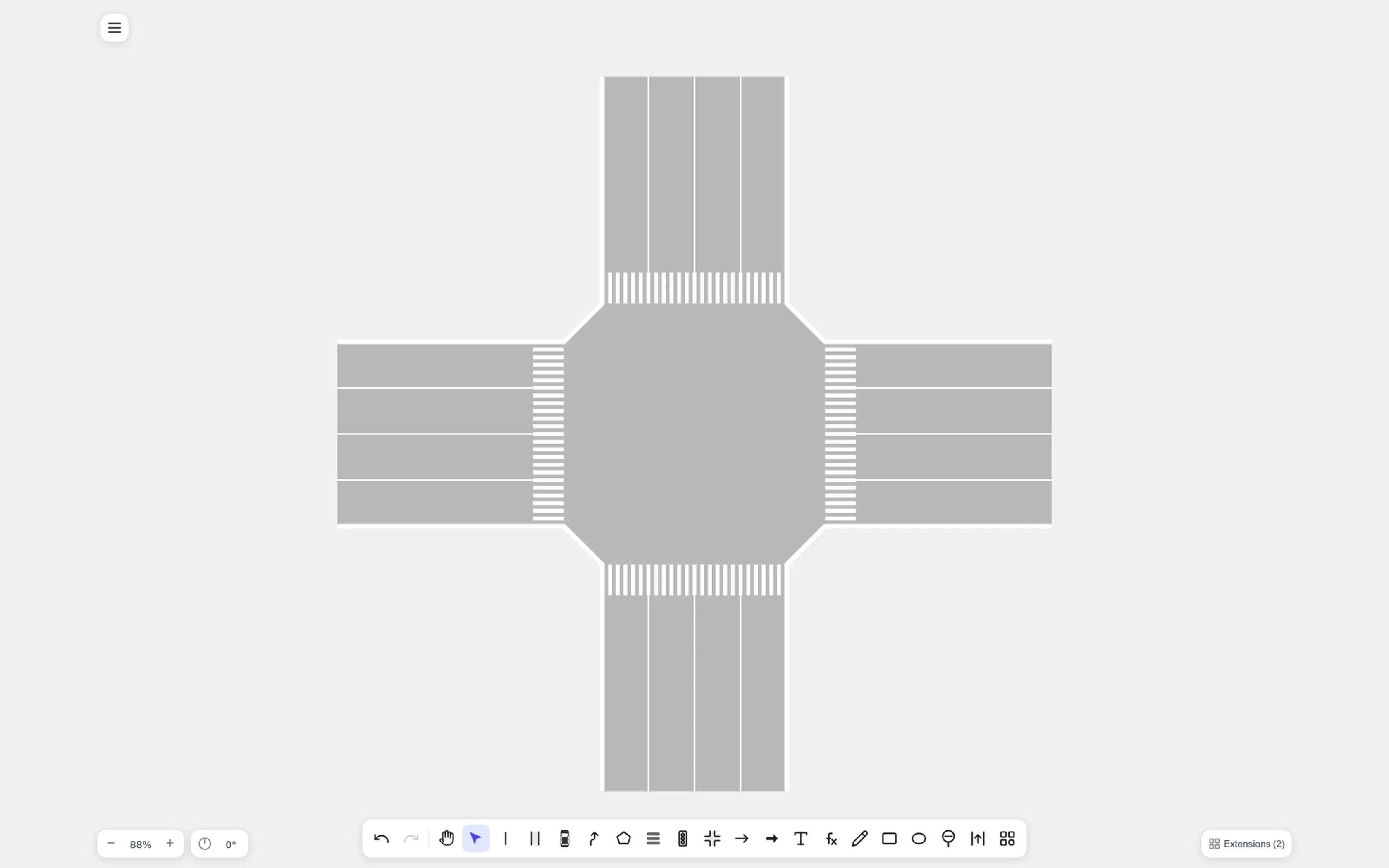
| Lanes | 1 / 2 | Lanes per direction on each approach. |
A four-leg standard junction and the same junction with three legs:
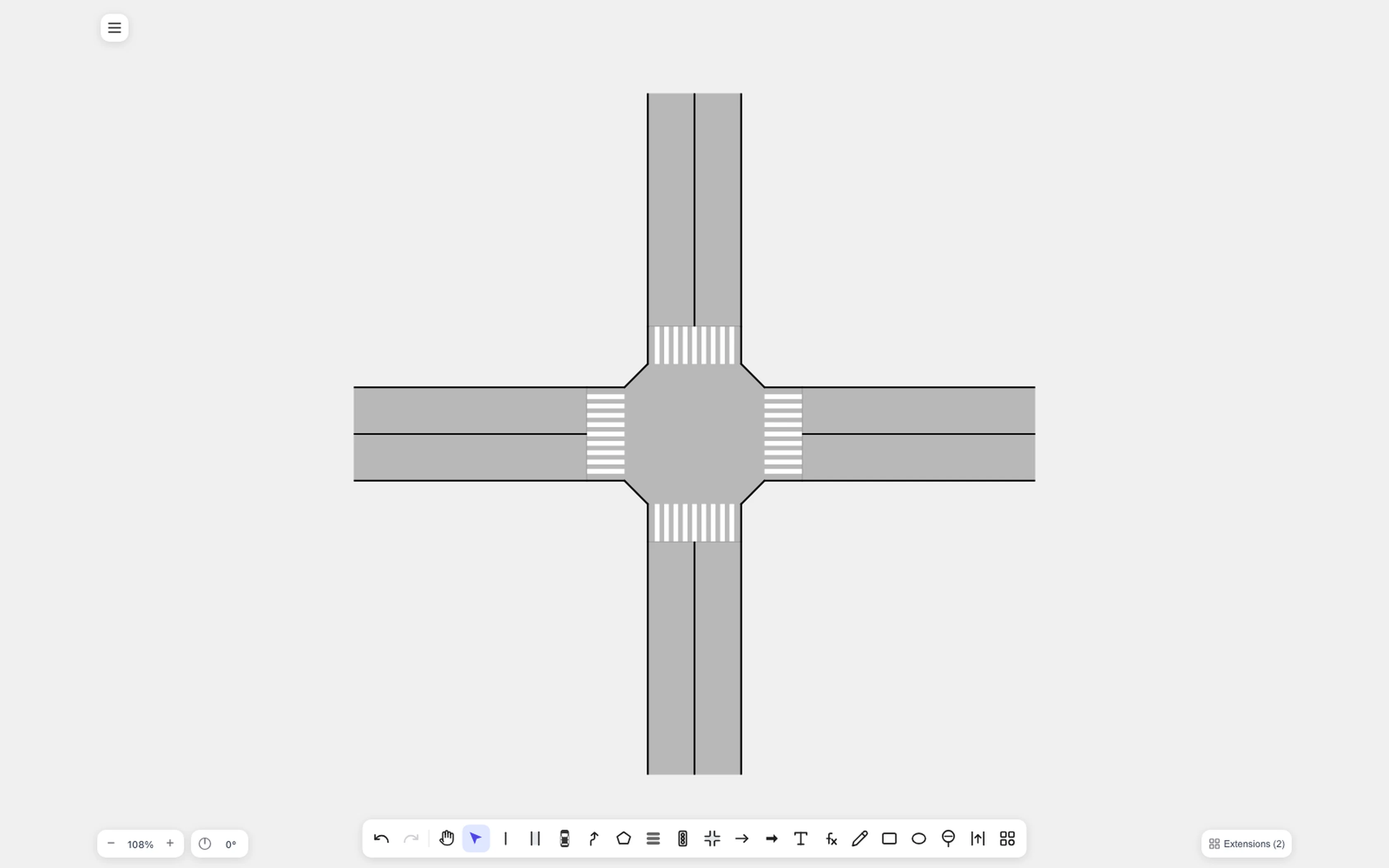
Wide roads with two lanes per direction produce the larger octagonal surface:
Turning connections inside the junction are created when you stamp, so
the result exports as a proper OpenDRIVE <junction>. See
Export to ASAM OpenDRIVE.
Roundabout style
Section titled “Roundabout style”| Parameter | Values | What it changes |
|---|---|---|
| Color | Black / White | Same line style rule as the Intersection style. |
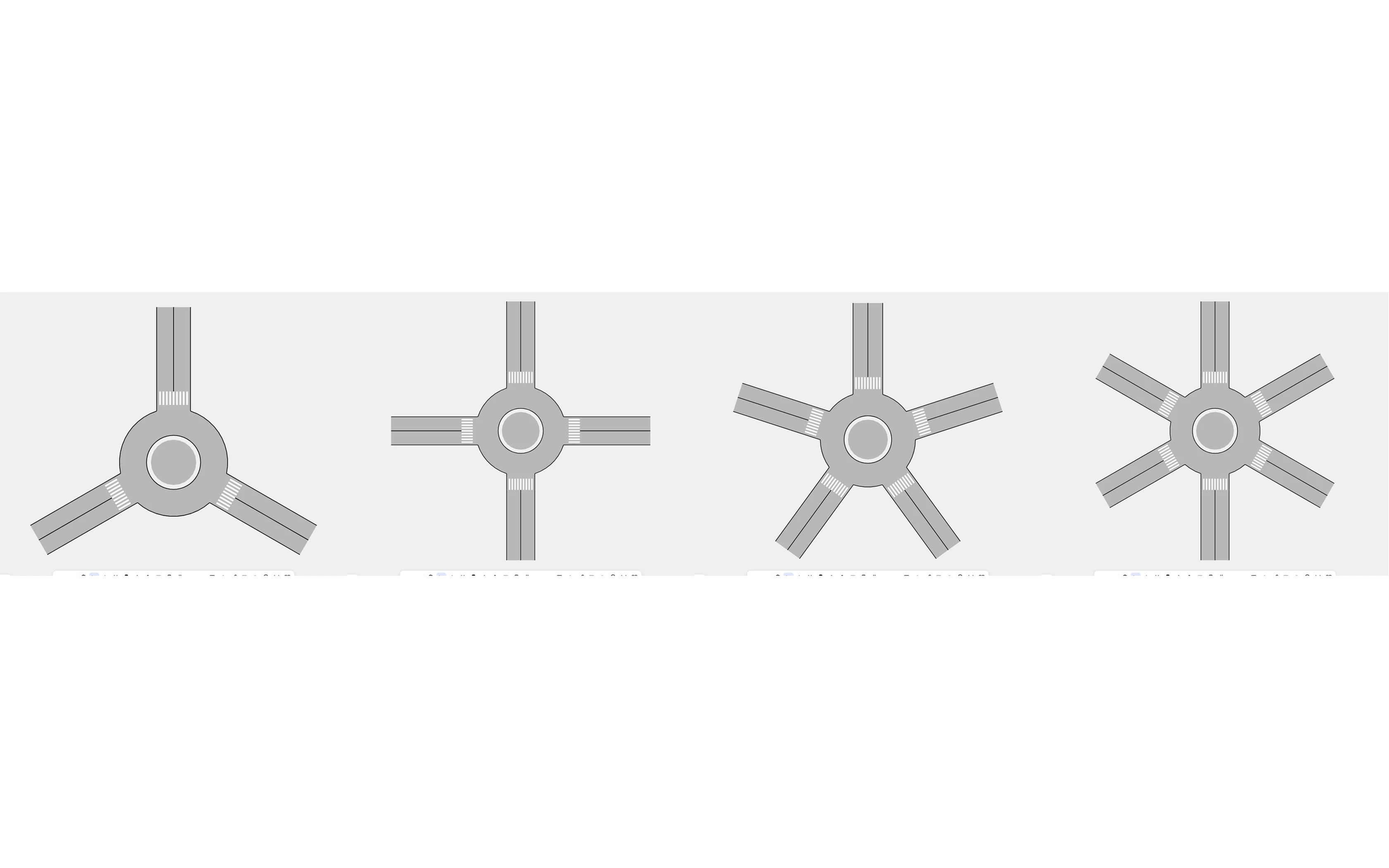
| Legs | 3 / 4 / 5 / 6 | Number of approach roads, evenly spaced. |
| Width | 2.5 m – 4.0 m | Approach lane width, set with a slider in 0.1 m steps. |
| Lanes | 1 / 2 | Lanes per direction on each leg. |
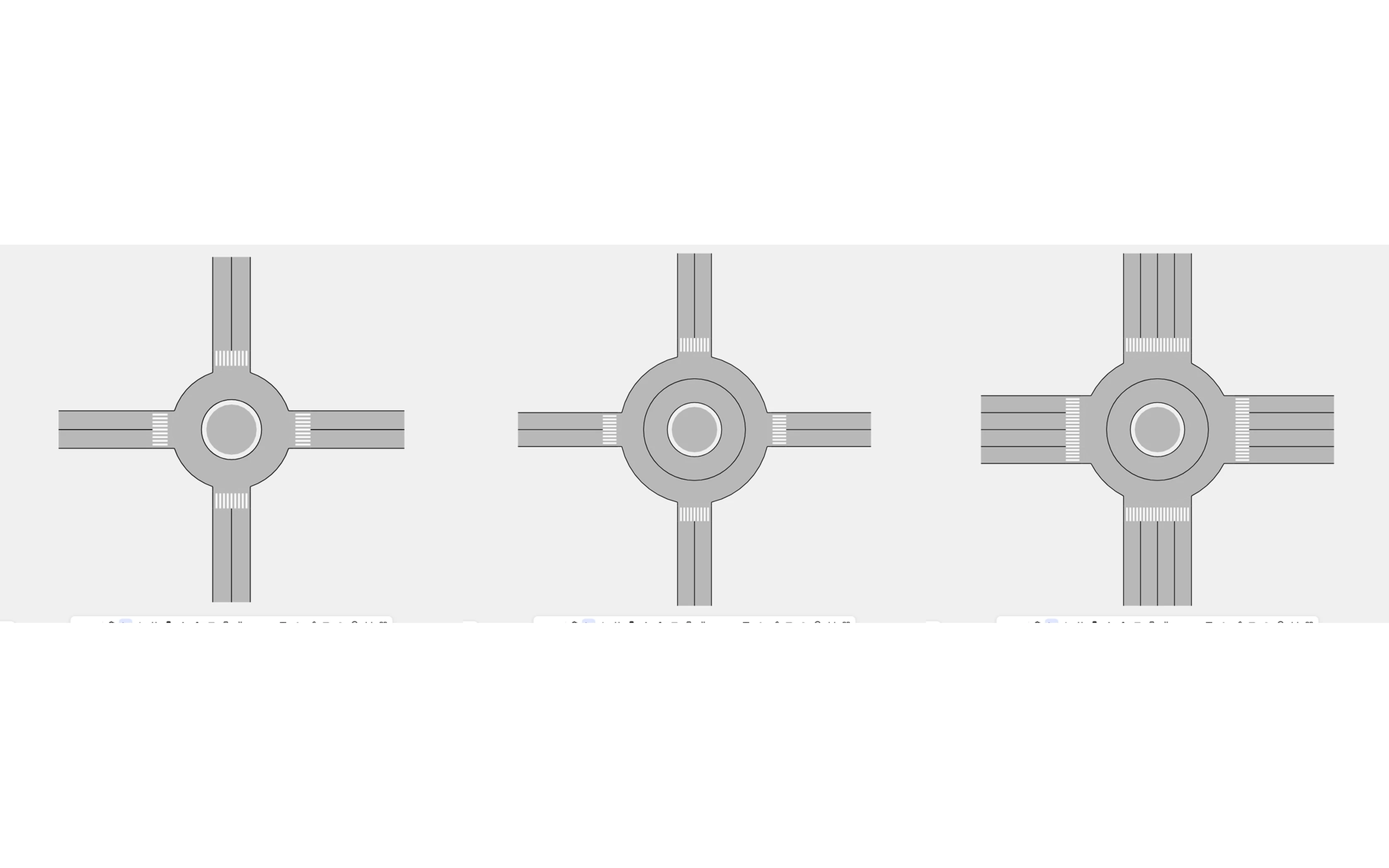
| Ring | 1 / 2 | Circulating lanes in the ring. |
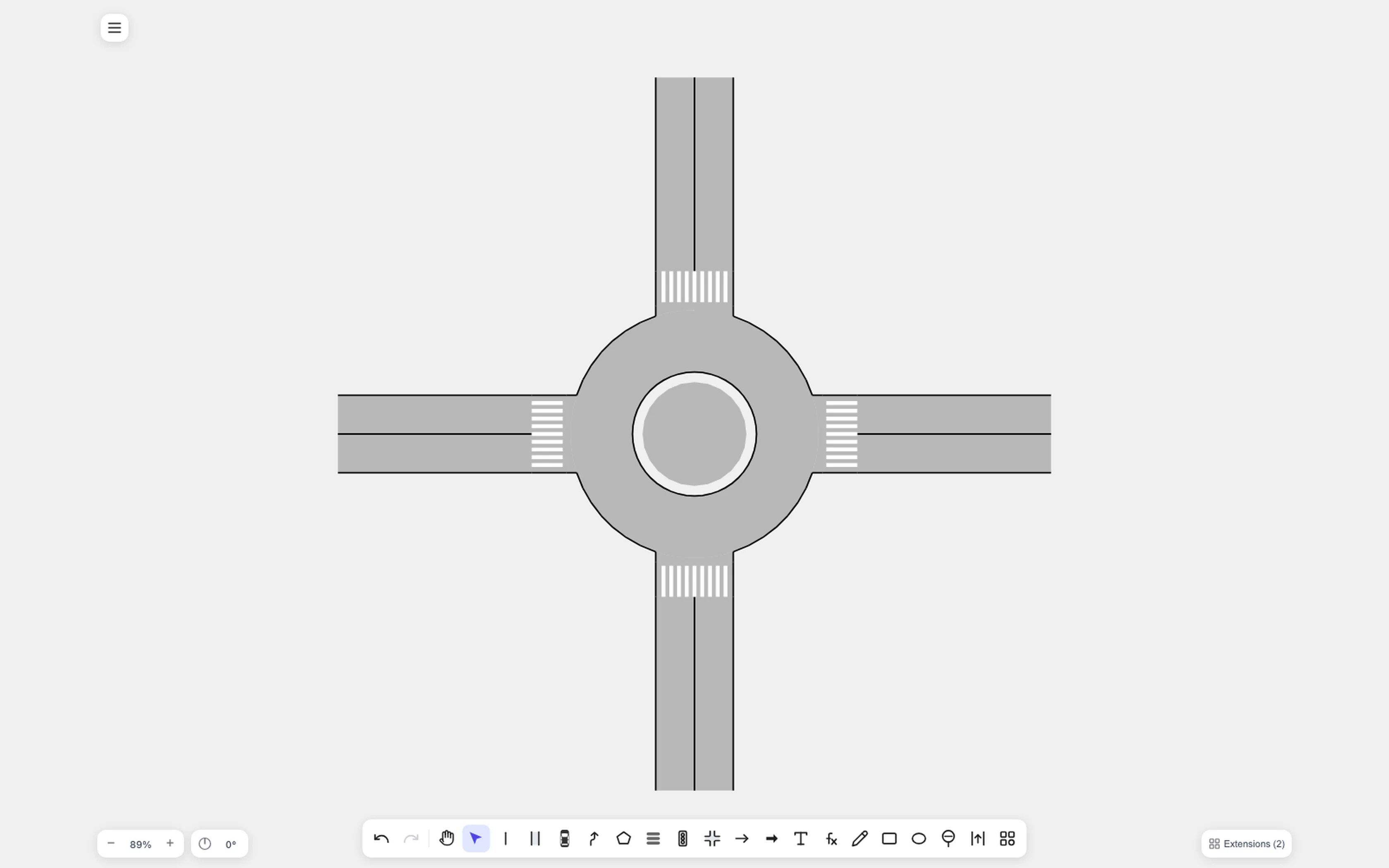
Three, four, five and six legs, all from the same generator:
Ring must be at least Lanes
Section titled “Ring must be at least Lanes”A roundabout cannot accept more approach lanes than it has circulating lanes — two cars entering side by side would have nowhere to go. The panel enforces this: when Lanes is 2, the Ring value 1 is disabled and Ring jumps to 2 automatically.
One approach lane with one circulating lane, one approach lane with two circulating lanes, and two of each:
Radii are derived, not typed
Section titled “Radii are derived, not typed”There is no field for the island radius or the outer diameter. The radii follow from the parameters you set, so that two conditions always hold:
- Openings stay apart — adjacent legs never overlap where they meet the ring, whatever the leg count and lane width.
- Vehicles fit the curve — a standard vehicle can negotiate the circulating lane without leaving it.
Picking six legs with two lanes, for example, grows the island so the six openings still fit around it. Every combination in the panel is a valid layout by construction.
Direction of travel
Section titled “Direction of travel”Driving Side at the bottom of the panel flips the whole junction. Left-hand traffic circulates clockwise, right-hand traffic counter-clockwise; the geometry is symmetric, so only the lane directions change.
How the pieces connect
Section titled “How the pieces connect”Inside a stamped junction the legs and the ring share their boundary points — the same point sharing that lane editing uses. Dragging a leg keeps it attached to the ring, with no gap and no overlap.
Chicane style
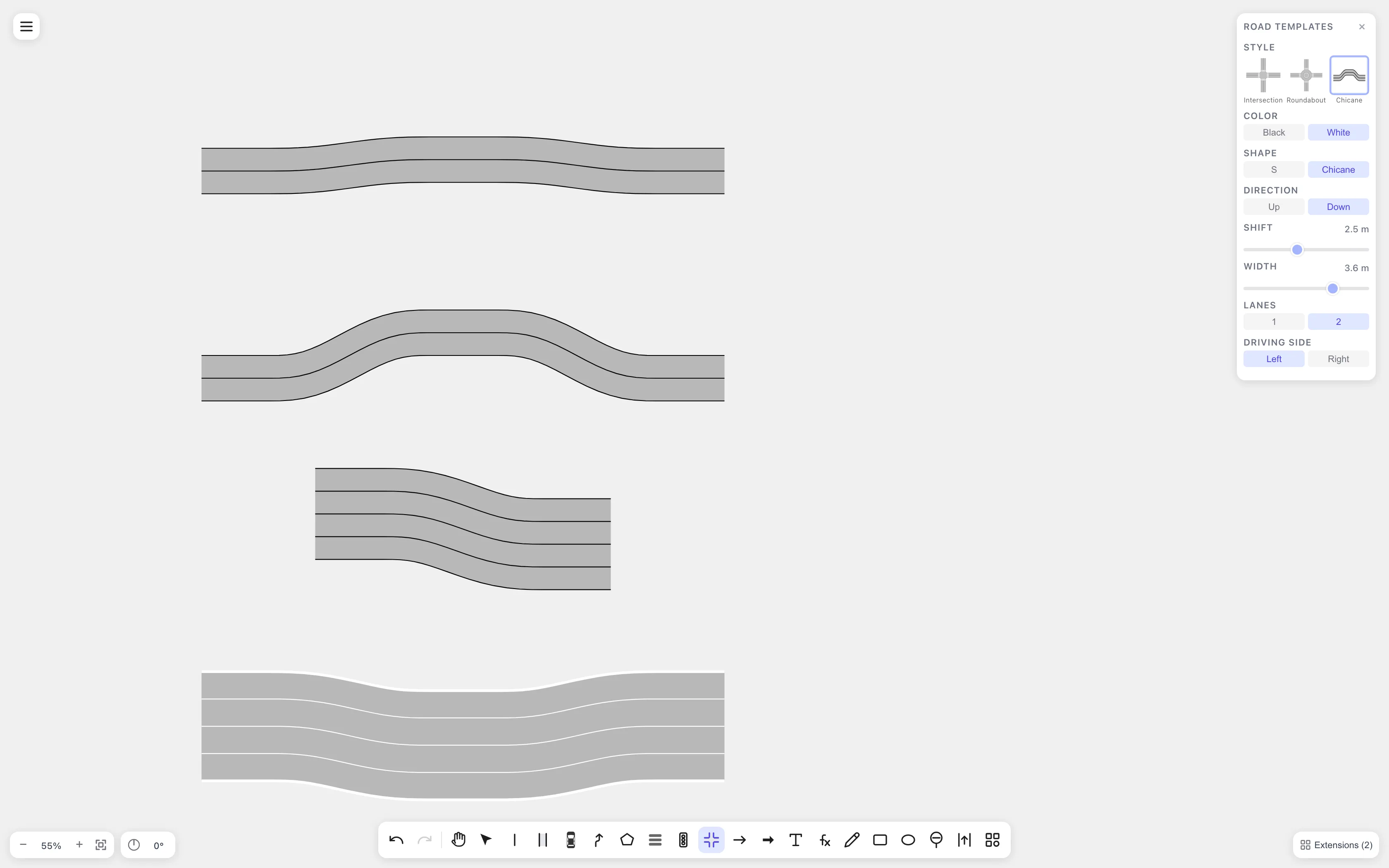
Section titled “Chicane style”The Chicane style stamps a straight road that shifts sideways: an S-bend, or a chicane that shifts and comes back. Use it for lane-keeping and path-planning figures, or anywhere a road has to jog around something.
| Parameter | Values | What it changes |
|---|---|---|
| Color | Black / White | Same line style rule as the Intersection style. |
| Shape | S / Chicane | S shifts once and stays shifted. Chicane shifts and returns to the original line. |
| Direction | Up / Down | Which way the road shifts on screen. Rotate the stamped road to point it anywhere. |
| Shift | 0.5 m – 6.4 m | How far the road shifts, set with a slider in 0.1 m steps. Arrow keys nudge it by 0.1 m. |
| Width | 2.5 m – 4.0 m | Lane width, set with a slider in 0.1 m steps. The value is the lane width in the OpenDRIVE export. |
| Lanes | 1 / 2 | Lanes per direction. |
The road is always the same length: changing Shift only changes how far the middle moves sideways. The slider’s upper limit keeps every curve drivable — the tightest curve stays at least two road half-widths in radius and the steepest part of the bend under 30°. One lane per direction goes up to 6.4 m at any width. With two lanes per direction the limit drops as the lanes get wider — 6.3 m at 3.0 m lanes, 5.4 m at 3.5 m, 4.7 m at 4.0 m. Widening the road pulls a larger shift down to the new limit.
The curves blend into the straight parts with zero curvature at both ends, so there is no sudden steering step where a curve starts. In an OpenDRIVE export each lane becomes one road whose reference line follows the bend smoothly.
Connecting a stamped junction to roads you drew earlier is a manual step: select the lanes and link them with lane connections.
Related
Section titled “Related”- Use the Lane tool — draw the approach roads
- Lane connections — join a junction to existing lanes
- Export to ASAM OpenDRIVE — junctions in the exported map